Auto bed leveling
Helps the printer adjust for small bed height differences and makes first-layer setup easier.
Learn what features matter, what to avoid, and how much beginners should expect to spend.
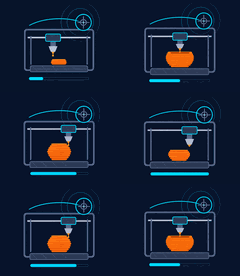
For most beginners, an FDM printer is the best first choice. It uses filament, is easier to understand, has lower running costs, and works well for learning, household prints, tools, toys, brackets, and simple projects.
Best beginner path: Start with PLA filament, learn bed leveling and slicing, then move into PETG or more advanced materials later.
Helps the printer adjust for small bed height differences and makes first-layer setup easier.
Helps prints stick better and gives you more material options.
Makes it easier to change colors, replace filament, and fix feed issues.
Popular printers usually have more tutorials, replacement parts, profiles, and beginner help.
Pauses the print if filament runs out. Helpful for long prints but not required.
Can help recover from short power issues, but a UPS is still better for protection.
Good for learning if you are comfortable doing more setup and tuning. Expect a little more hands-on work.
Usually the sweet spot for beginners. You can get better features, easier setup, and more reliable first prints.
Better if you want an enclosed printer, faster setup, quieter printing, larger build size, or more automation.
Prices change often. Use this as a planning range, not a fixed price rule.
The cheapest printer can cost more time if it needs constant tuning, repairs, or upgrades.
Resin, ABS, ASA, and multi-color printing can be great later, but they add complexity for a beginner.
Bigger is not always better. Large printers take more space, more tuning, and longer print times.
Make sure your printer has a good slicer profile. A good profile makes first prints much easier.
Budget for filament, basic tools, spare nozzles, cleaner, storage bags, and possibly a UPS.
Start with standard PLA before trying silk, wood, glow, carbon fiber, TPU, ABS, or ASA.
Open-frame or bed-slinger printers are budget friendly. Enclosed printers are better if you want a cleaner setup or plan to print ABS/ASA later.
Use a basic color and avoid specialty filament until your printer is reliable.
Your printer brand will usually recommend a slicer or provide a printer profile. Start there first.
Start with a calibration cube, keychain, cable holder, or phone stand before long prints.
See open-frame, enclosed, and bed-slinger printer options before you buy.